


Application Description
Effortlessly resize your pictures with Shrink Photos Beautifully—an app designed to reduce image sizes while preserving stunning quality and supporting precise cutouts. Ideal for social media posts, email attachments, or feature phone viewing, it eliminates the frustration of pixelated images during resizing. Enhance privacy by blurring faces with mosaic filters and save time with bulk photo processing. Your originals stay protected while you explore EXIF details, GPS coordinates, and instant sharing options.
Key Features of Shrink Photos Beautifully:
Flawless Image Compression: Downsize photos without compromising sharpness or detail.
Bulk Resizing: Process multiple images at once for maximum productivity.
Crisp Text Retention: Ensures documents remain legible post-resizing.
EXIF Data Removal: Automatically strips metadata for enhanced privacy.
Face Blurring: Conceal identities with customizable mosaic overlays.
Dedicated Output: Saves compressed versions separately, preserving source files.
Pro Tips:
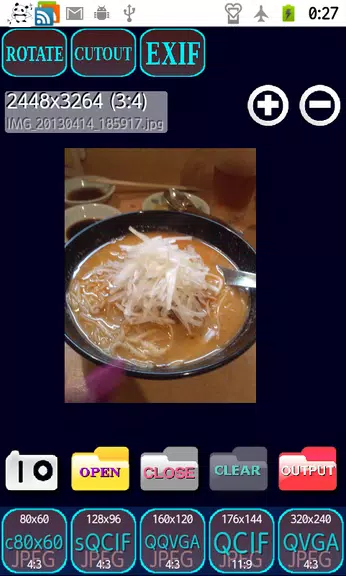
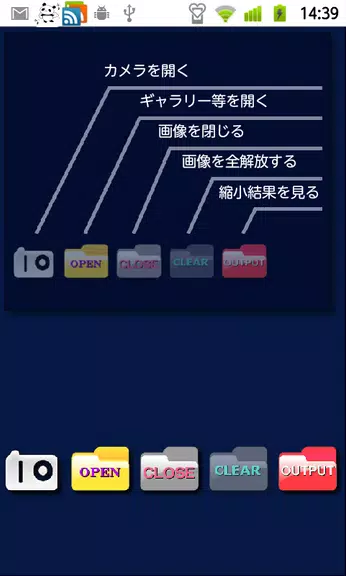
> Navigate intuitively using the quick-access touch icons on the home screen.
> Choose precise reduction percentages with dedicated size-selector icons.
> Review outputs instantly on the results screen for quick sharing or deletion.
> Pinch-to-zoom and drag gestures enable detailed inspection and rotation.
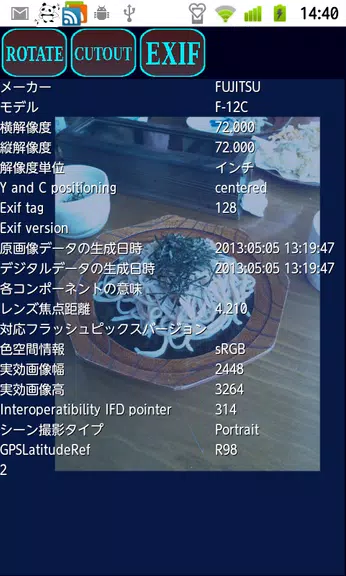
> Tap EXIF/GPS buttons to reveal hidden photo metadata effortlessly.
Final Thoughts:
Shrink Photos Beautifully revolutionizes image resizing with professional-grade compression and smart privacy tools. From social media optimization to secure file sharing, its batch processing and metadata management deliver studio-quality results. Experience distortion-free resizing coupled with advanced features like face anonymization—all wrapped in an intuitive interface that puts flawless photo adaptation at your fingertips.
Shrink photos beautifully Screenshots

Reviews
Post Comments
Trending Games
Trending apps












Topics
More
Latest Articles
More